Why Your Website is Slow & How to Fix It
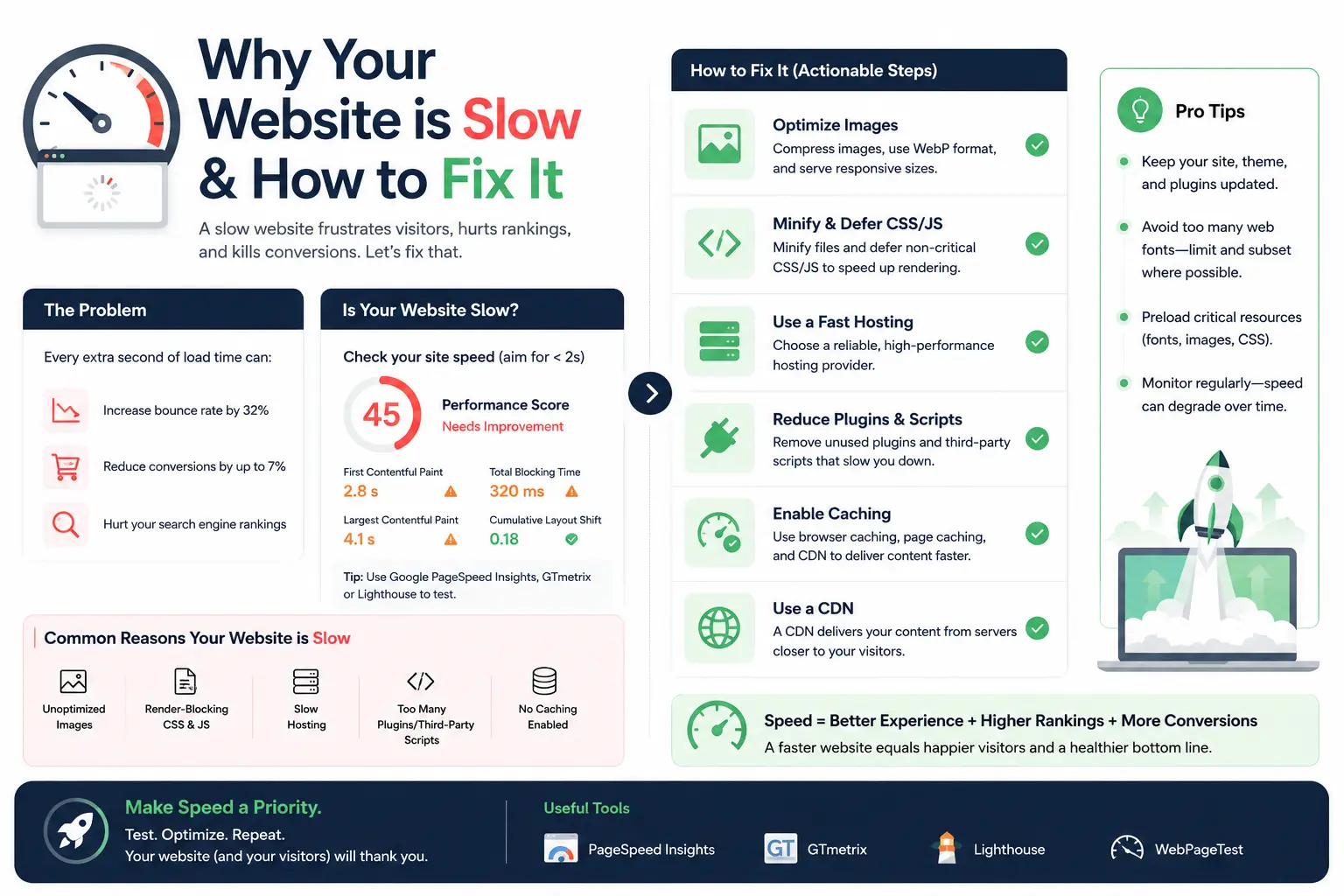
A slow website kills conversions and hurts your Google rankings. If your pages take more than 3 seconds to load, you're losing visitors—period. Here's a practical guide to diagnosing and fixing the most common performance issues.
Diagnose First
Before fixing anything, you need data. Use these free tools:
- Google PageSpeed Insights: Core Web Vitals scores and specific recommendations
- GTmetrix: Waterfall charts showing what loads when
- WebPageTest: Detailed breakdowns from multiple locations and devices
- Chrome DevTools: Network tab and Lighthouse audits
Common Culprits & Fixes
1. Unoptimized Images
Images are usually the biggest files on a page. Fix them by:
- Compressing with tools like TinyPNG or Squoosh
- Using modern formats: WebP or AVIF (with JPEG fallbacks)
- Implementing lazy loading for below-the-fold images
- Serving responsive images with
srcset
2. Render-Blocking Resources
CSS and JavaScript that block the page from rendering:
- Inline critical CSS and load the rest asynchronously
- Use
asyncordeferfor non-critical JavaScript - Minify and combine CSS/JS files
3. Slow Server Response
If your server takes forever to respond, nothing else matters:
- Upgrade your hosting (shared hosting is often the bottleneck)
- Enable caching (browser cache, server cache, CDN cache)
- Optimize database queries if you're using a CMS
- Use a CDN for static assets
4. Excessive Third-Party Scripts
Analytics, ads, chat widgets, social buttons—they all add up:
- Audit which scripts you actually need
- Load non-essential scripts after the page is interactive
- Self-host critical fonts instead of Google Fonts API (sometimes)
Quick Wins
If you only have an hour, do these:
- Compress all images
- Enable Gzip or Brotli compression on your server
- Set up browser caching
- Minify CSS and JavaScript
- Remove unused CSS/JS
Want a professional speed audit? I'll analyze your site and give you a prioritized fix list.


0 Comments
No comments yet. Be the first to comment.